

Finding Your Pet’s Memorial Star
“You will always be the brightest star in the night sky”
Our Memorial Star Urn offers limitless options for personalisation, ensuring your photo cremation urn is as unique as the life it honors.

Have Any Questions
Tracking Your Pet’s Dedicated Star in the Night Sky: A Complete Guide to the Star Finder 3D App
Locating a dedicated star in the endless expanse of the cosmos is a profoundly comforting way to feel connected to a cherished pet who has crossed the Rainbow Bridge. To complement your Pet Memorial Star Urn, we have created an easy guide to help bridge the gap between your home and the heavens.
By following our simple, step-by-step instructions below, you can use the Star Finder 3D app on your Apple iOS or Android smartphone to easily navigate the night sky and pinpoint the exact position of your pet’s unique star shining above.
Quick Steps to Locate Their Star:
Download the App: Install Star Finder 3D from the App Store or Google Play Store.
Enter the Coordinates: Input the exact celestial coordinates listed on your pet's International Space Registry certificate (and printed on your custom pet urn).
Explore the Cosmos: Point your phone toward the sky to watch the star map line up with the universe, revealing your pet's dedicated place among the stars.
Step 1:
Download the Free Star Map App

To start tracking your pet's dedicated tribute in the sky, head over to the App Store or Google Play Store on your smartphone or tablet. Tap the corresponding Apple or Google Play download buttons below to install the software—the app is 100% free to download and use.
This interactive application harnesses cutting-edge augmented reality (AR) to map out galaxies, constellations, and individual star locations in real time relative to where you are standing. Once installed on your device, you'll be ready to align your phone with the night sky and locate your companion's shining star.

Step 2.
Locate Your Official Star Registry Credentials
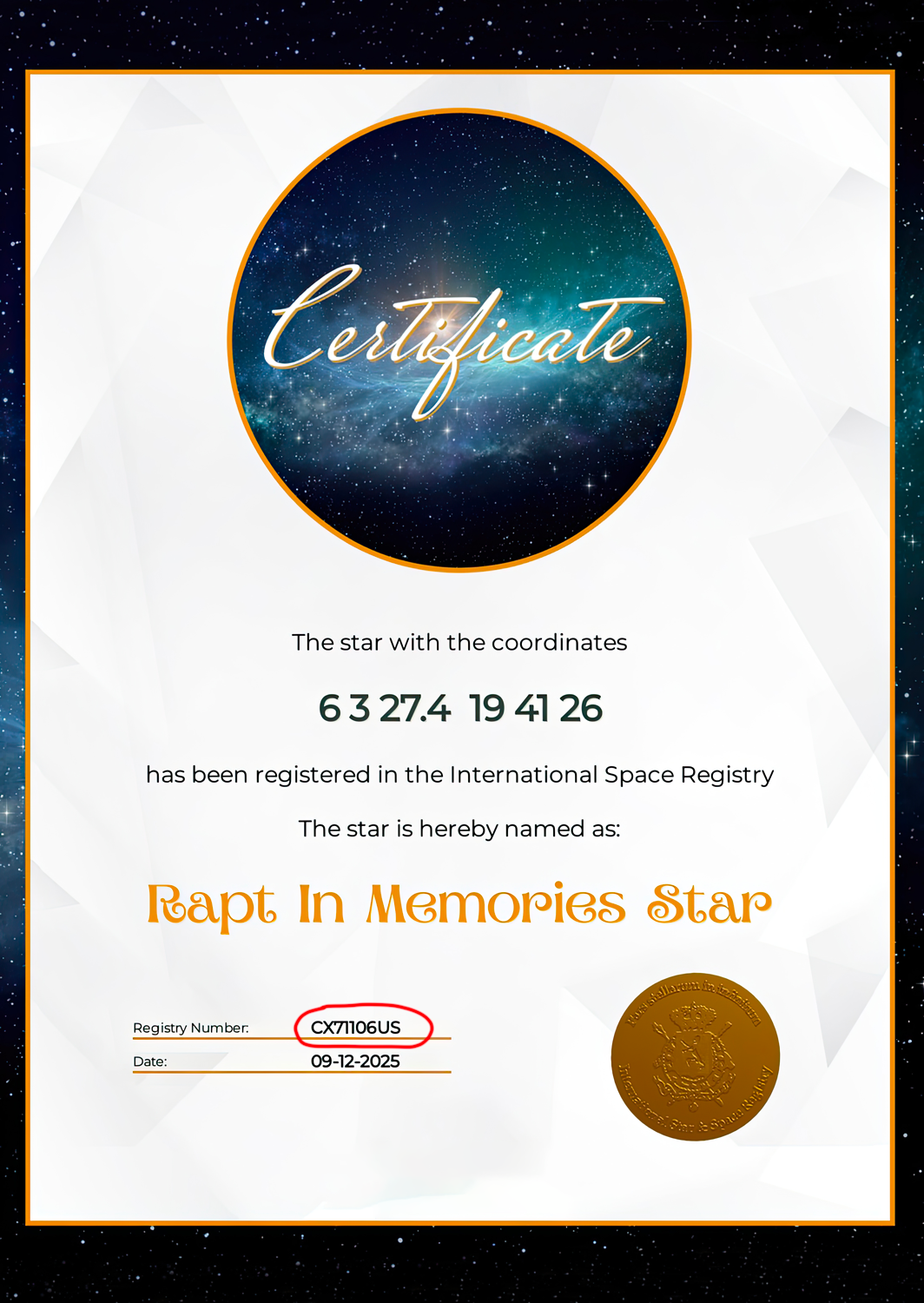
Each custom Pet Memorial Star Urn comes with an official, beautifully framed certificate of registration. This document acts as your guide to finding your pet's celestial tribute among the constellations.
On your certificate, look for the unique STAR REGISTRY NUMBER (highlighted in red on the sample certificate image). This distinct identification code is the key you will need to input into the app to pinpoint your beloved pet’s exact location in the night sky.
After installation completes, tap the Star Finder 3D icon on your screen to launch the program. As it loads, the International Star Registry splash screen will display briefly for roughly five seconds before taking you to the main interface.
Step 3.
Open the Star Finder 3D app.

Step 4.
Search For Your Pet’s Memorial Star.
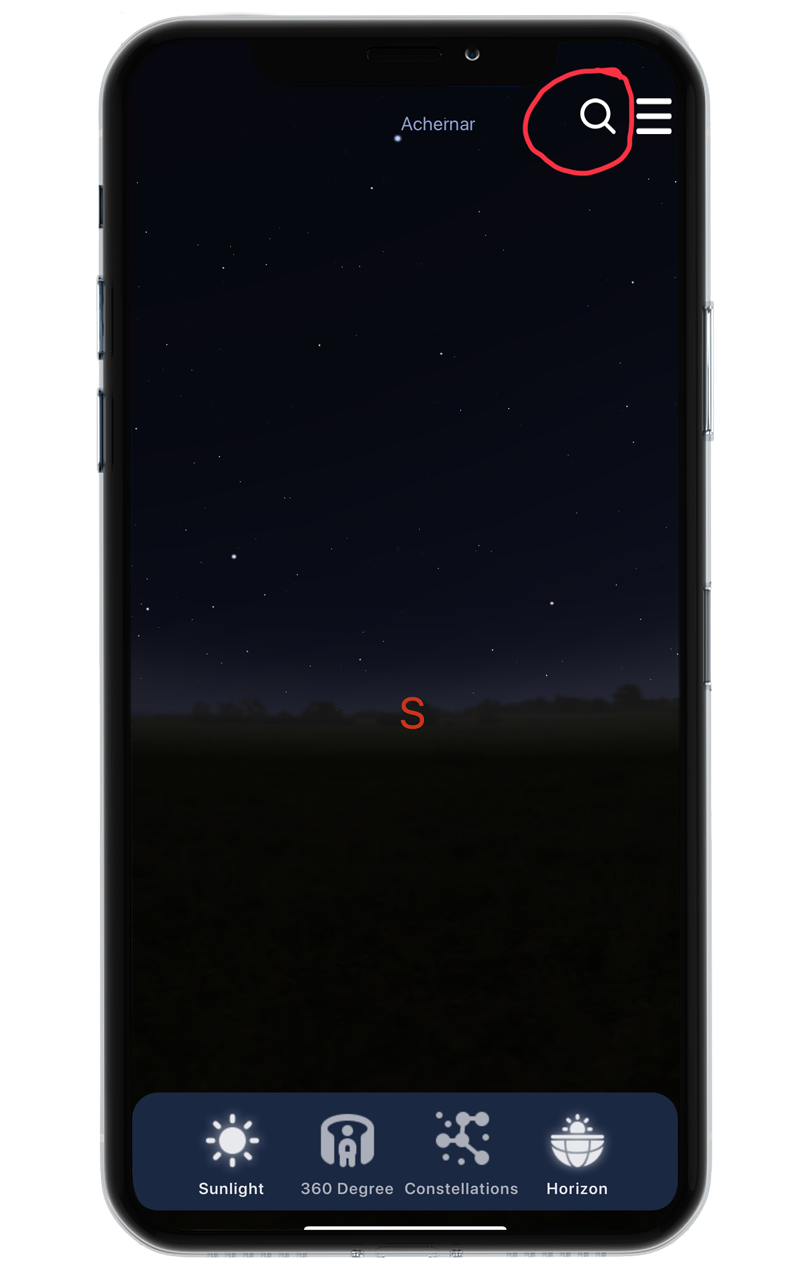
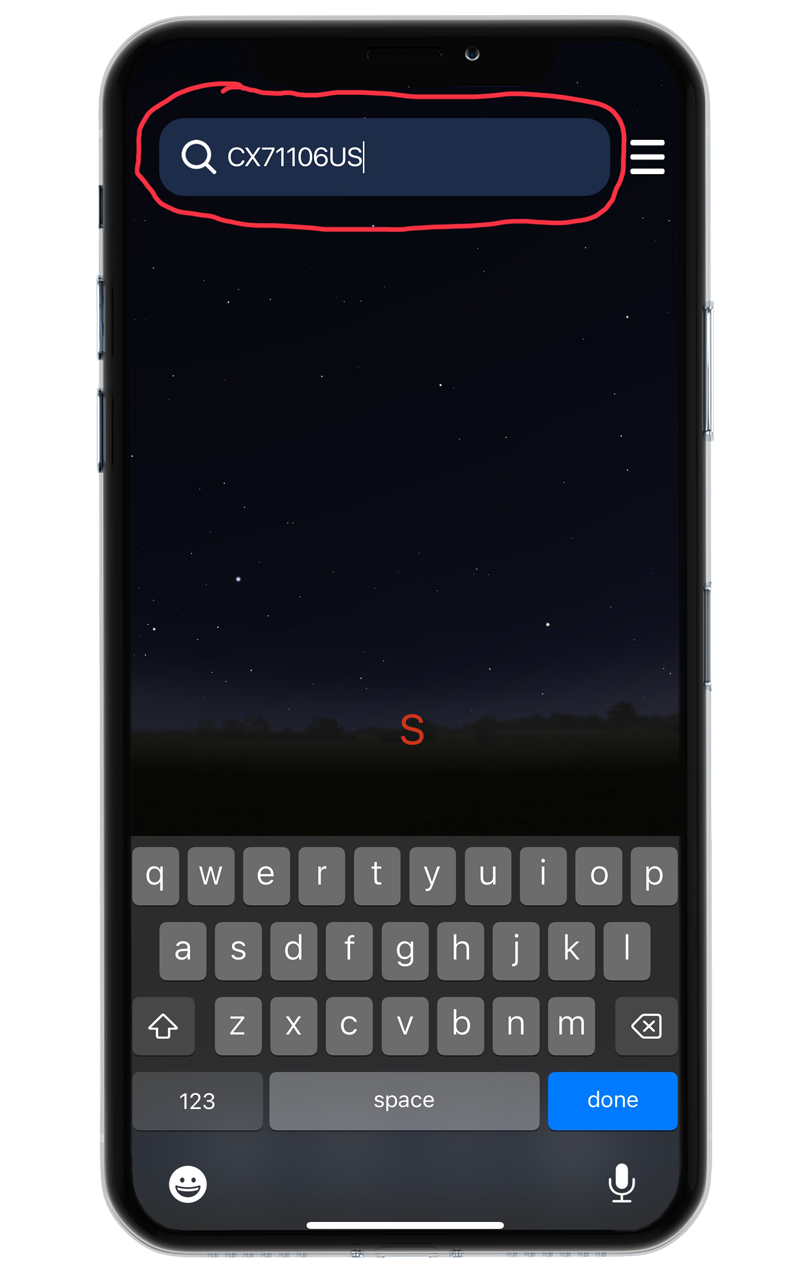
Inside the main app screen, tap the Search icon (indicated by the red circle). Type in the exact REGISTRY NUMBER printed on your pet’s framed certificate, then select DONE.
The app’s database will immediately scan the registry and lock onto the precise star dedicated to your beloved companion.
THE REGISTRY NUMBER SHOWN, IS AN EXAMPLE. TYPING THIS NUMBER IN THE SEARCH FEATURE WILL TAKE YOU TO THE RAPT IN MEMORIES STAR.
Step 5.
Located Pet’s Memorial Star and Zooming In.
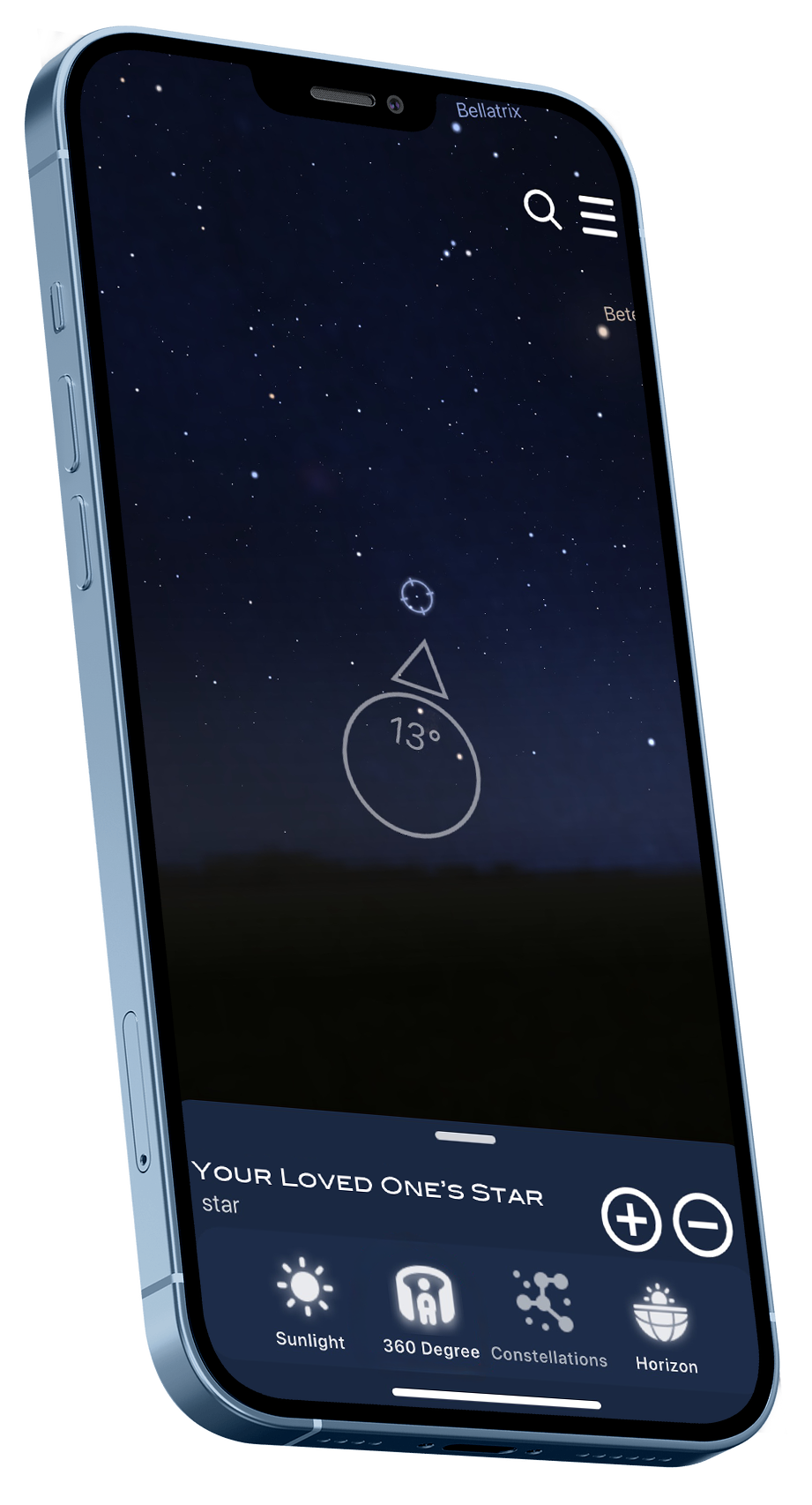
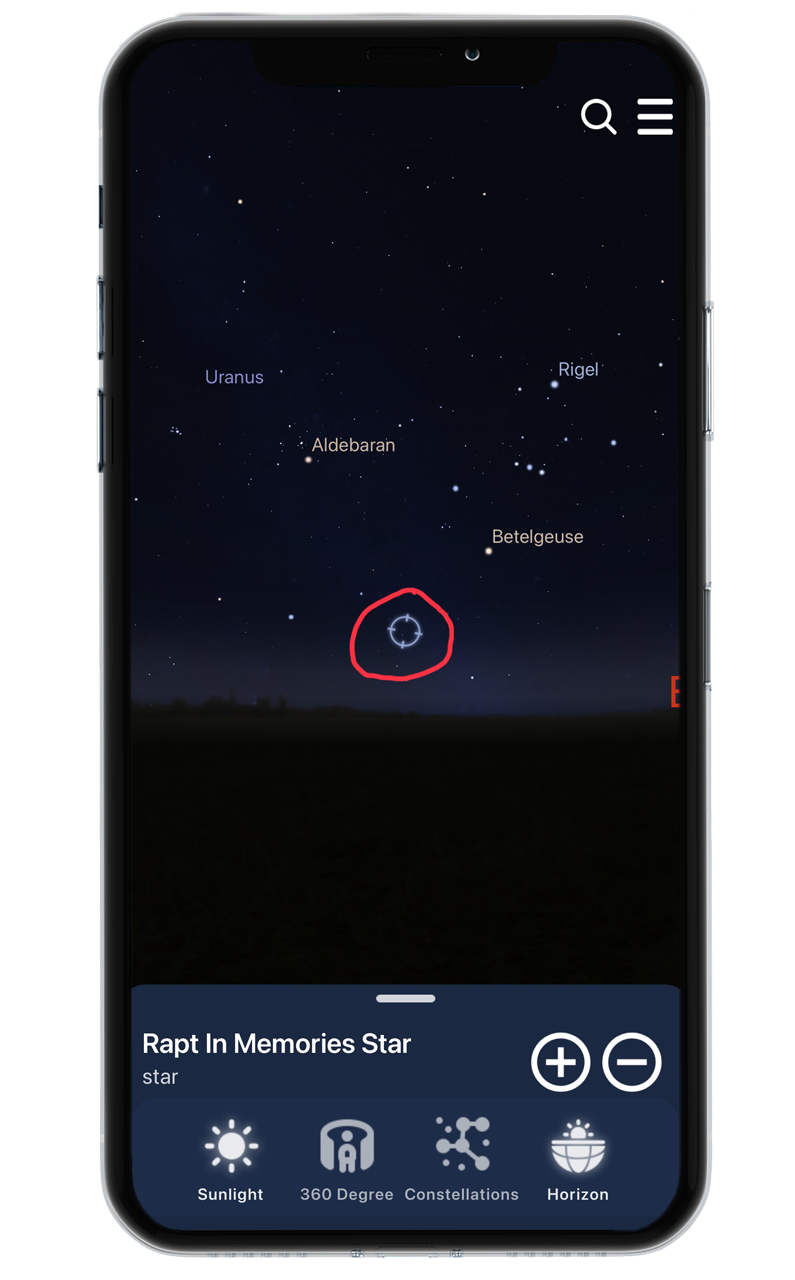
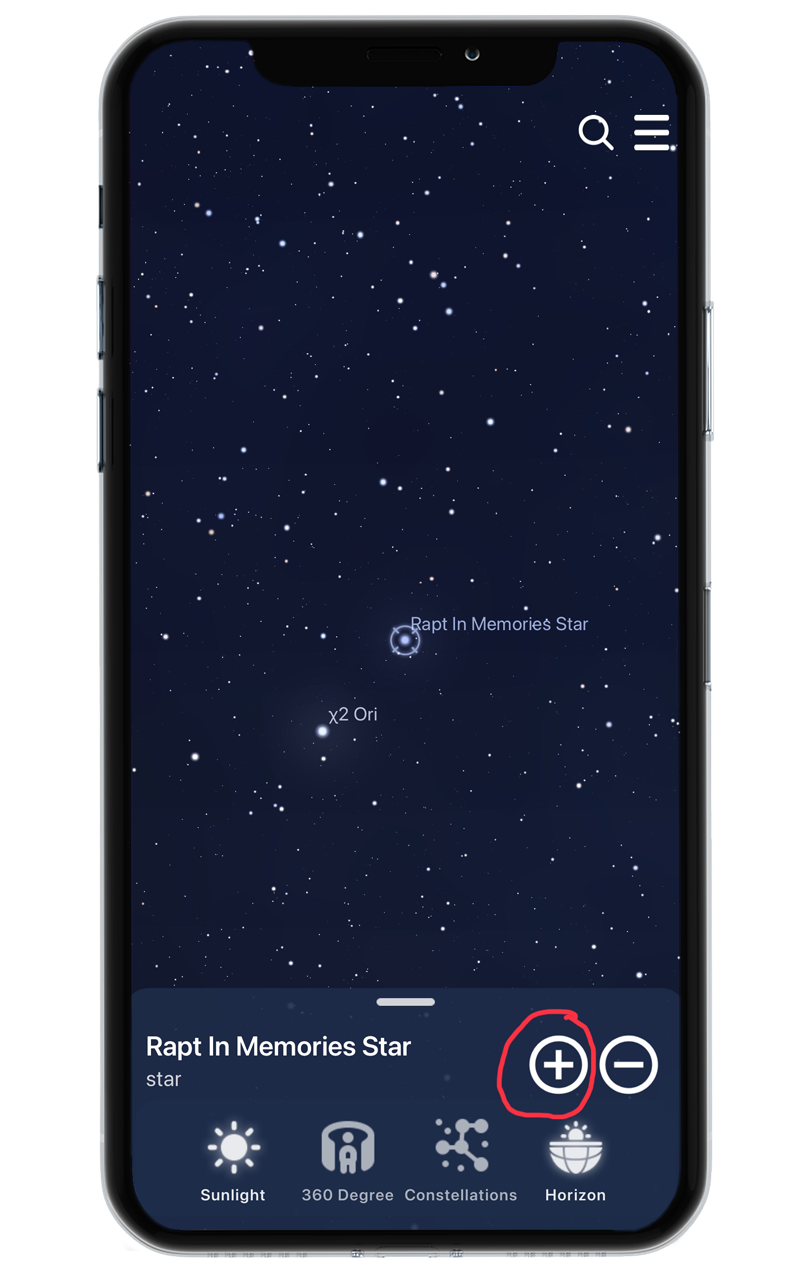
As soon as the search finds your pet’s coordinates, a SPINNING BLUE CIRCLE will appear over its position in the sky (highlighted in red in the first diagram). Simply tap the + BUTTON to zoom in closer and view your pet's memorial star in high detail.
Step 6.
Use Augmented Reality to Track Their Star in the Sky.
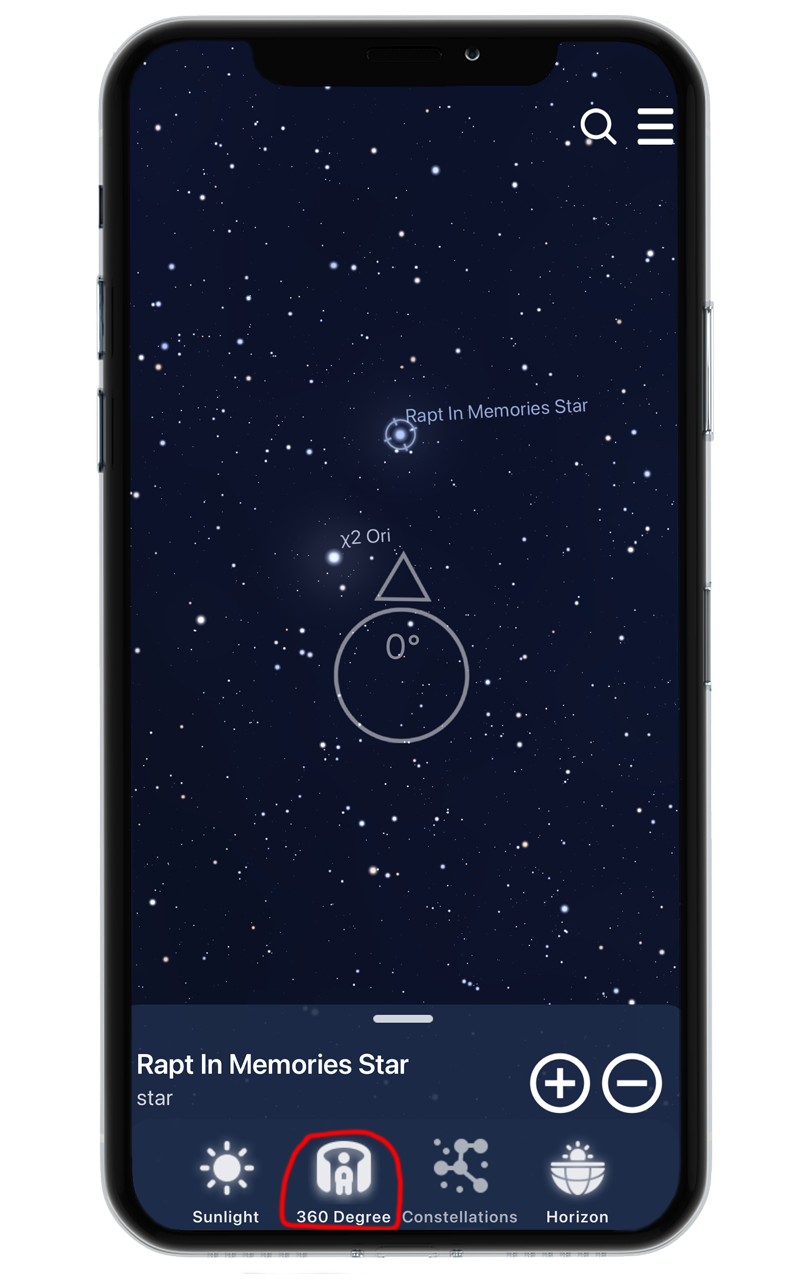
Once your pet’s star is highlighted, raise your phone or tablet toward the night sky and tap the 360° ICON. The app will connect to your device’s internal compass and motion sensors, creating a live, interactive window into the universe.
As you sweep your phone across the horizon, the star map on your screen shifts in real time with the actual night sky overhead. Simply follow the guided directional arrow situated above the large tracking circle. As you align your device with your pet’s star, the degree counter inside the main target will count down—hitting 0° the moment your phone is pointing straight at their dedicated place in the heavens.

A Living Connection Above the Rainbow Bridge
This interactive feature turns a photo pet cremation urn into far more than an ashes container—it becomes a direct gateway to your companion’s enduring memory.
Whether you’re standing in your garden under a starry sky or gazing outward on a cloudy night, this interactive tribute ensures your pet’s heavenly legacy remains clear, everlasting, and always close at hand.
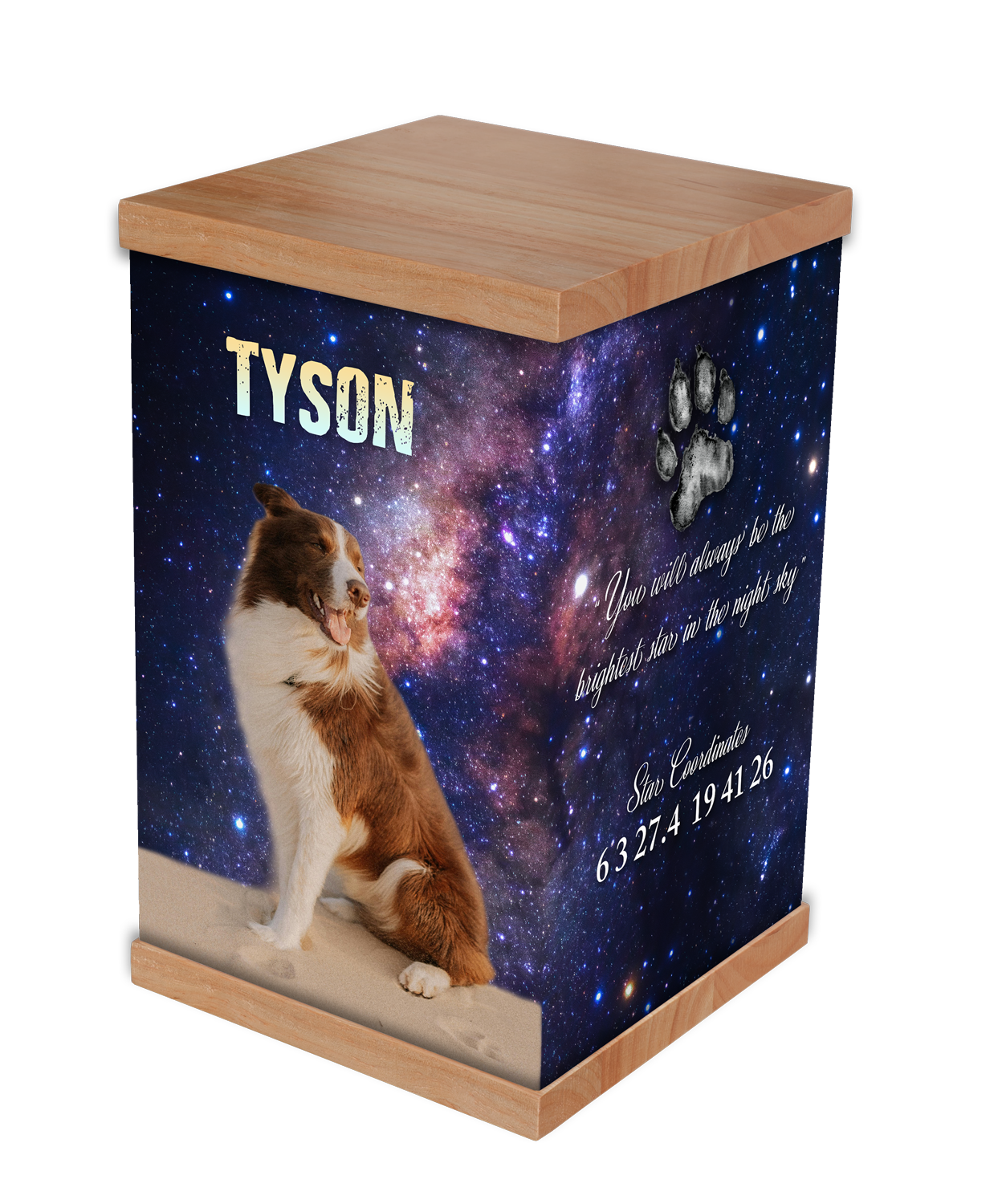
FRONT VIEW
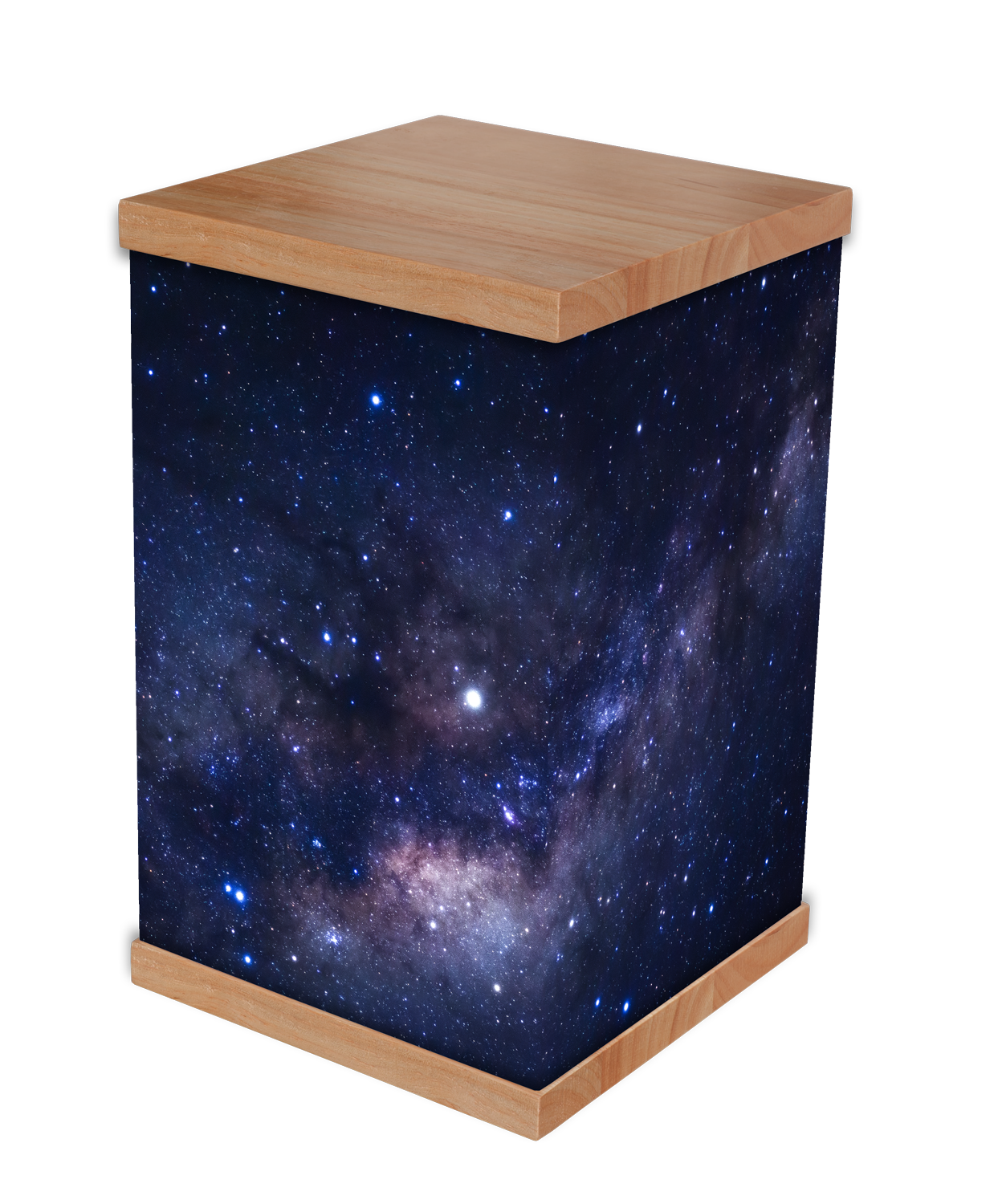
BACK VIEW